
What this board answers
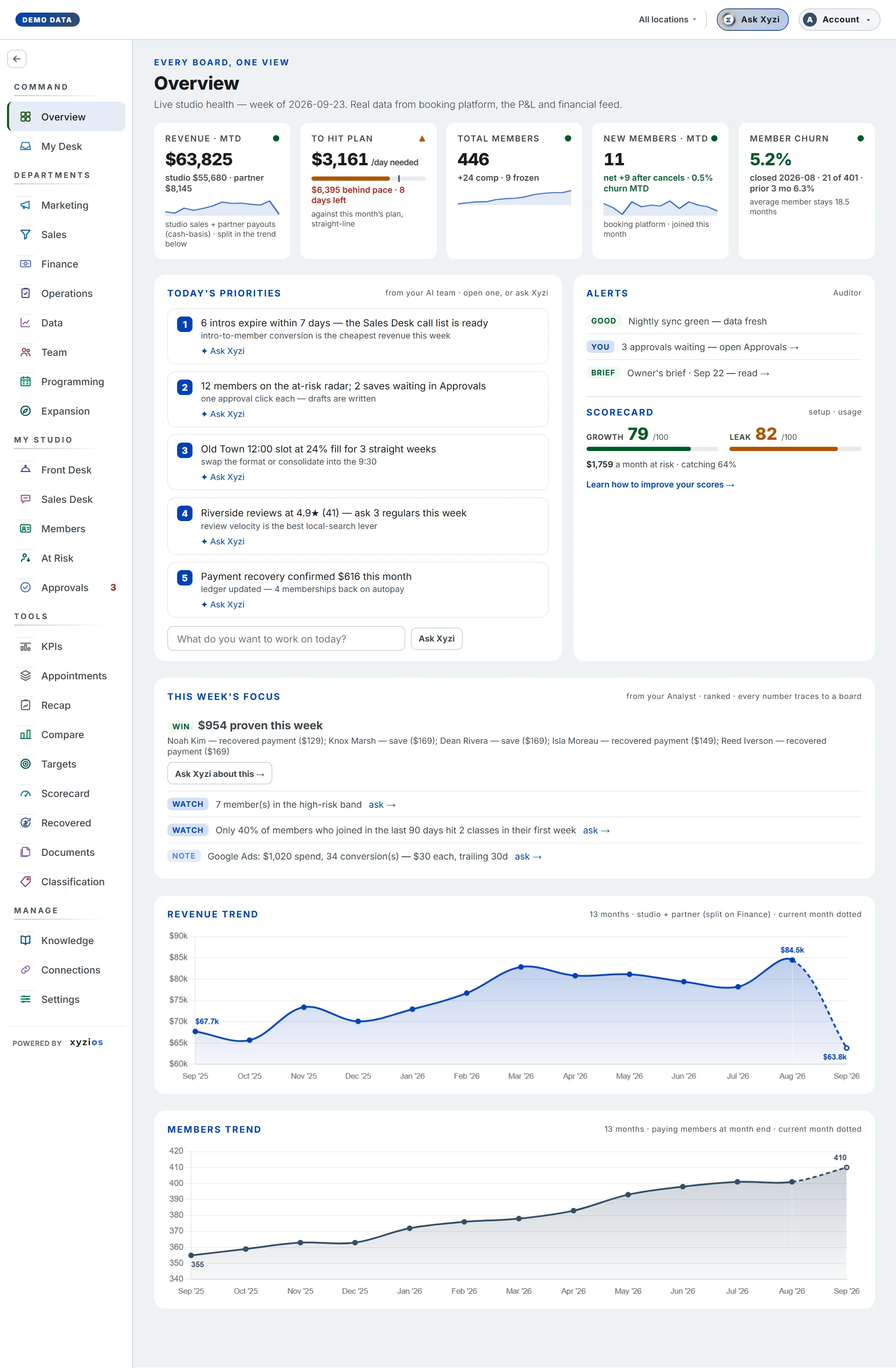
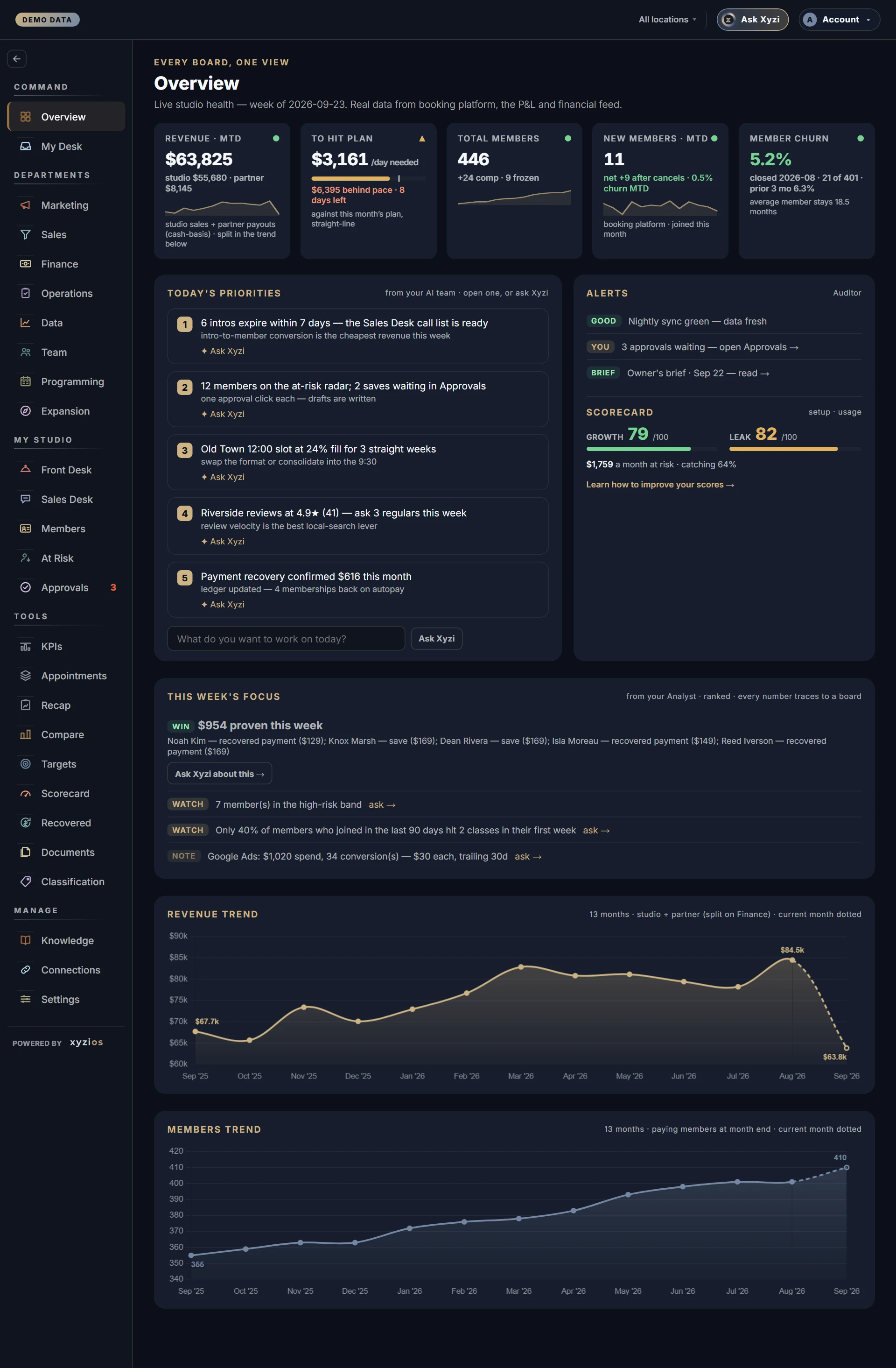
Is the studio healthy this week, and what needs me? Overview is the landing board for owners, directors and location managers: five numbers across the top, the things your AI team wants you to look at, and thirteen months of revenue and members. Everything on it is company-wide until you pick a location.
How to read it
The line under the title names the week the board describes and says where the figures come from: your booking platform, the P&L and the financial feed.
The five cards:
- 1Revenue · MTD — studio sales plus partner payouts (ClassPass, Wellhub), month to date, cash basis. The small line splits studio from partner when there is partner money.
- 2To hit plan — what to sell per day from here to reach this month’s plan, straight-line. The bar fills as the plan is banked; the tick is where a straight line says you should be today. It reads target met once you are over, and a dash with “no plan for this month” until a plan exists on Targets.
- 3Total members — paying members right now, with comp and frozen counted beside it.
- 4New members · MTD — joined this month, with the net figure after cancels and churn month to date.
- 5Member churn — the last closed month: cancels as a share of the members you started it with, graded against your own prior three months. It says “needs one closed month” until there is one.
A dash on any card means not measured, never zero.
Below the cards:
- 6Today’s priorities (from your AI team) — up to five ranked items from your AI team’s GM, shown only while they are fresh. Each says what to do and why, in plain words. Open … → takes you to the list it is about (the at-risk members, the intros to call), and ✦ Ask Xyzi opens Xyzi with a question about it already written, for you to send. Under the list, What do you want to work on today? sends whatever you type straight to Xyzi. “Nothing flagged.” is the real all-clear; “Not available in this view.” means they are not sent to your role or this location. A Location Manager on this view sees across your locations instead: the lines worth time at each of their own sites.
- 7Alerts (Auditor) — each line is Risk, Watch or Good. “All clear.” is the real all-clear; “Not shown for your role.” means the list was withheld, not empty. Under the alerts: how many approvals are waiting, the latest Owner’s brief, and the Scorecard half — Growth and Leak out of 100, the next setup step with its points, and money at risk.
- This week’s focus (from your Analyst) — the week’s top insight, then up to five more. It disappears when the Analyst has not run in two days rather than showing stale advice.
- 8Revenue trend — monthly, the last thirteen months, so this month sits beside the same month last year; studio and partner combined (Finance splits them). The current month is dotted because it is not over.
- 9Members trend — paying members at the end of each month, the last thirteen months; the current month is dotted.
Pick a location in the location bar and the cards narrow to that site, paced against its own plan and graded against its own churn history, with the site’s revenue chart. A banner reminds you that priorities, alerts and the focus are company-wide. A planned location shows a pre-opening page; a presale location shows the Presale board.
If you manage one location you land on that site. Its tab opens with Today at your location: up to three things there worth your time first, each with Open … → (the board, already on your site) and ✦ Ask Xyzi. The company’s priorities and some alerts are not part of your view.
On a location tab, Drill down lists only the documents and insights about that site; the company’s stay on All locations.
What to do here
- Read the five cards, then Today’s priorities and Alerts. On a location tab, start with Today at that location.
- Tap the “approvals waiting — open Approvals →” line to decide them.
- Tap Open … → on a priority to go to its list, or ✦ Ask Xyzi to talk it through. Type in What do you want to work on today? to ask anything. Ask Xyzi about this → on the week’s focus, or ask → on any insight, opens a thread about that too.
- Tap Learn how to improve your scores → to see every open setup step on Scorecard.
- If To hit plan shows a dash, set this month’s plan on Targets; the card then says what to sell a day.
- Open a department from the rail on the left.
Common questions
Why does Revenue · MTD not match my booking platform’s sales report?
This figure adds partner payouts to studio sales and counts on a cash basis, month to date as of the last refresh. A platform report usually shows studio sales alone, on its own basis.
Today’s priorities is empty. Is something wrong?
“Nothing flagged.” means the GM ran and found nothing. “Not available in this view.” means the list is not sent to your role, or you are on a location tab.
Why is there no Today list on my location tab?
It shows only lines that need attention at that site. When nothing there does, the panel stays away rather than filling the space with good news.
Does Ask Xyzi send my question as soon as I tap it?
No. ✦ Ask Xyzi on an item writes the question for you and waits; you read it and press Ask. Only what you type into What do you want to work on today? is sent at once, because it is already your question.
Can I get this list by email?
Yes. On weekday mornings at about 7, studio time, owners, directors and everyone who gets the Monday brief are sent Today at your studio: the same priorities, each with a button that opens the list it is about. Nothing is sent on a day with nothing on the list. Location managers can get their own locations’ list too, once the owner switches it on in Settings › Features. Stop these daily emails at the bottom of each one stops it for you alone; the Overview keeps showing the list.
Why does Member churn show a dash?
The card grades the last closed month, so a studio or location that has not finished a month yet has no rate to show. Month-to-date churn sits on the New members card instead.
Why is the Scorecard half missing from Alerts?
The scores have not been worked out for this studio yet. When they exist, both meters and the next step appear there, and the Scorecard board explains them in full.
Who sees this board?
Owners, directors and location managers by default. Front desk and instructors do not; their day starts on Front Desk.