
Turn it on
The owner, or a Director granted Manage the studio, opens Settings, then Features on the left, and under On your boards switches on Contact log on Call Lists. It starts off. A room in presale has a switch of its own, Contact log on the Presale board.
Steps
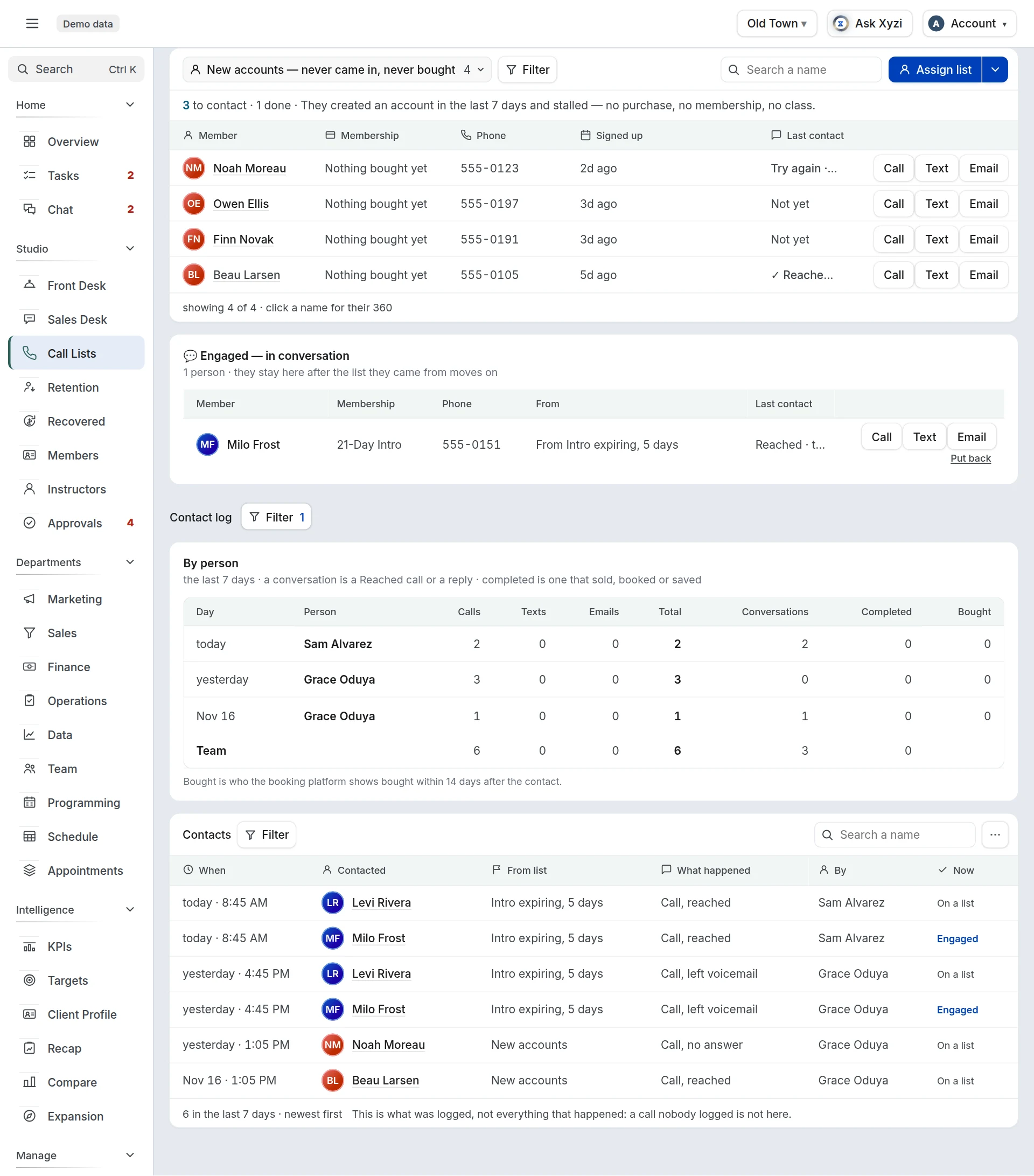
- Open Call Lists, choose your location, and pick a call sheet in the dropdown at the left of the lists’ toolbar.
- Make the call, or send the text or the email, the way you do today. The buttons record a contact: they do not dial or send anything.
- On that person’s row, tap 1Call, Text or Email.
- Say how it went. A call is Reached, Left voicemail or No answer. A text or an email is Sent; when the answer comes, log They replied.
- If the conversation got something done, pick it under Completed: Sold membership, Sold class pack, Sold intro offer, Booked a class or Saved membership. On Retention the menu also has “Wants to cancel”, under Heard: it is what you heard, not something completed.
- If they are thinking it over, pick Engaged under Mark as. If it is a no, pick Not interested.
- Add a note if the next caller should know something, and tap Save.
What you see
- The row’s Contact column shows the last few tries, then the day of the last one and who made it. A call nobody answered asks for another the next day, and a voicemail, a text or an email two days later.
- Once someone has talked to the person, the row is ticked, dims and drops to the bottom of its list. The count at the top of the list is who is left to contact.
- Engaged moves them to 2Engaged — in conversation, under the call sheets, where they stay after their list has moved on. Not interested takes them off every call list and folds them into a list at the foot.
- A note is added to the notes on their profile, with what happened and which list it came from.
- Undo on the row takes back a contact you logged today.
Read the log
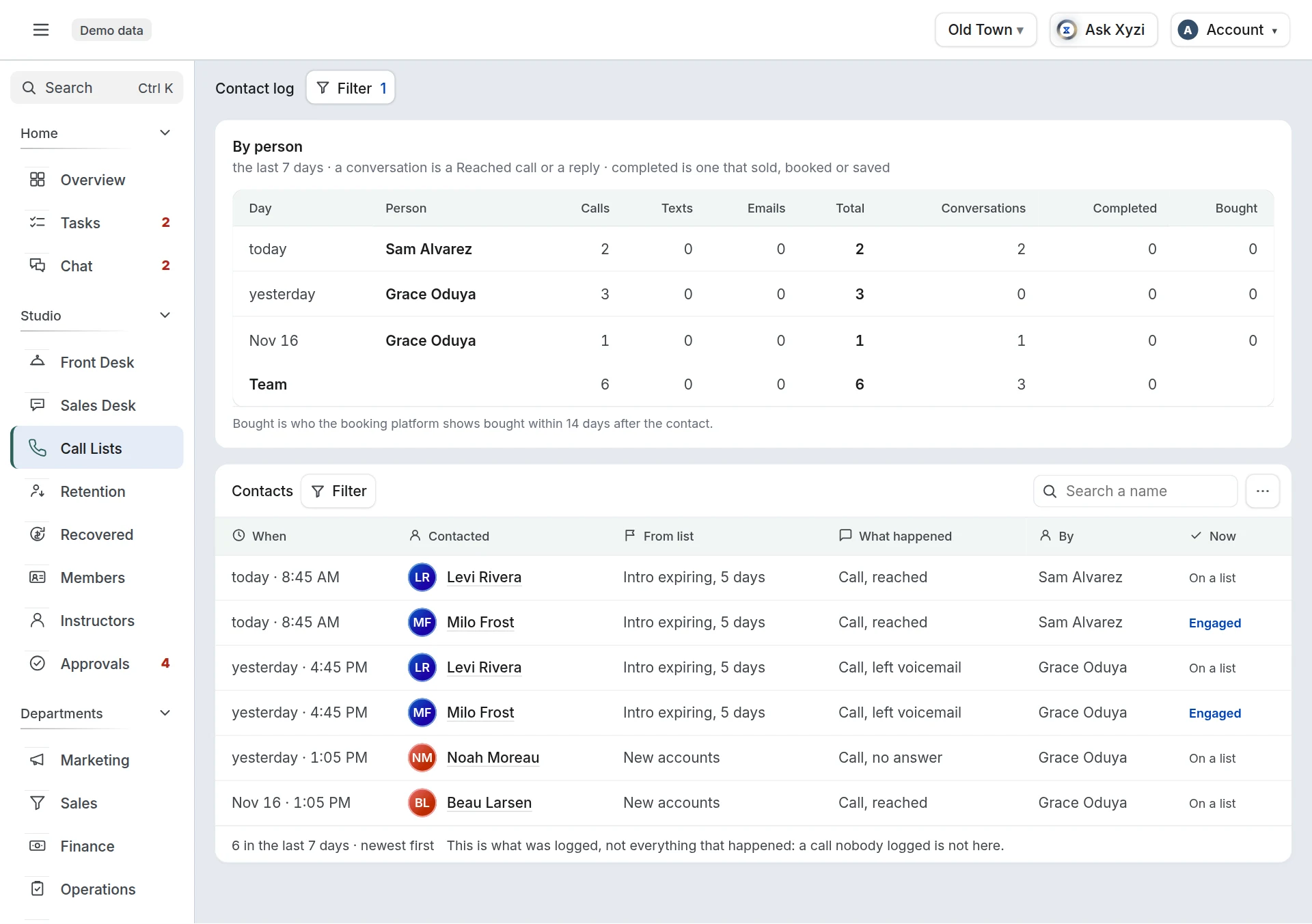
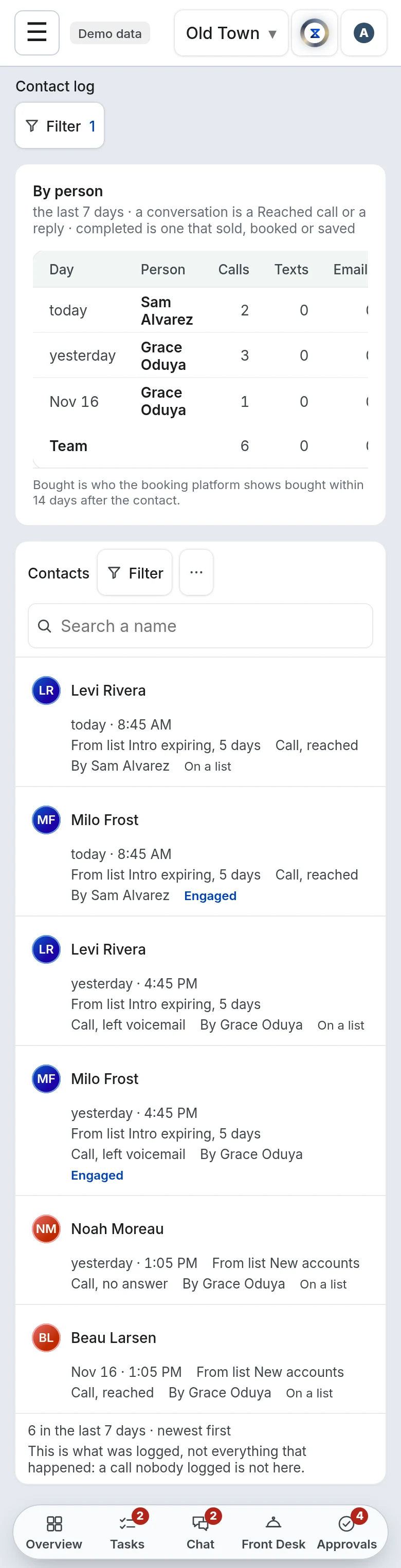
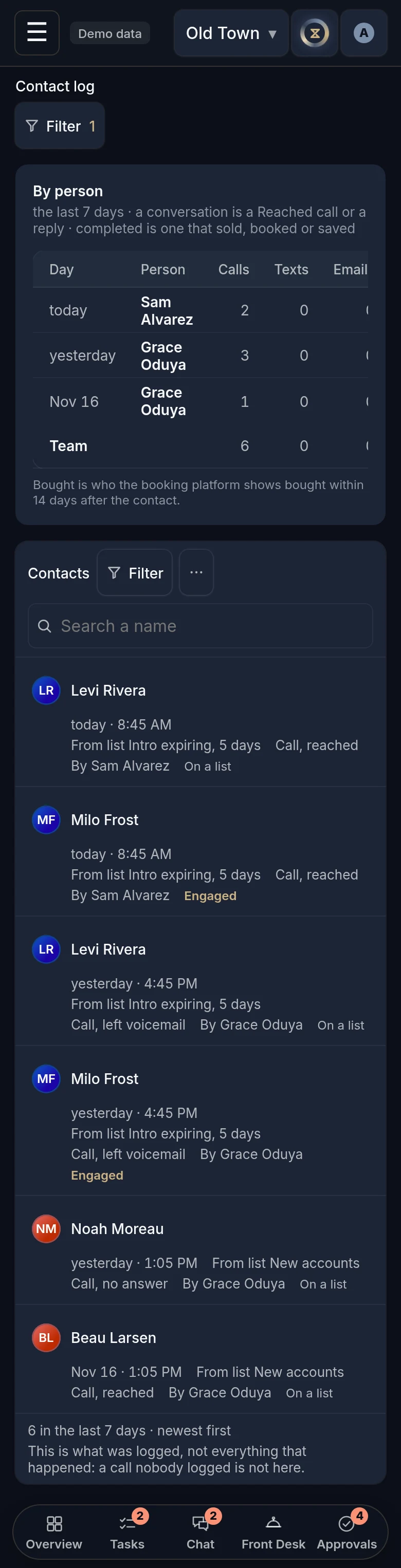
3Contact log, under the lists, is what was logged, for Today, 7 days or 30 days: pick the range in its Filter.
- By person counts each team member’s calls, texts and emails, their conversations (a Reached call or a reply), how many completed something, and Bought.
- Contacts is every contact, newest first: when, who was contacted, from which list, what happened, who logged it, and where the person stands Now. Search a name, filter by what happened, by person or by list, or tap Export CSV.
Completed is the caller’s word for what the conversation did. Bought is your booking platform’s: a purchase dated within 14 days after the contact.
Good to know
- Anyone who opens Call Lists can log a contact, at the locations they see.
- A mark does not last for ever. It ends when a later conversation completes something or the person buys, and it lapses 90 days after their last contact. Put back clears one sooner.
- A contact logged here shows as the Last contact on Retention. It does not mark the member Handled.
- The daily Today email says what was logged the day before, such as “Yesterday: 23 calls, 6 reached, 2 bought”. Monday’s covers Friday to Sunday.
- The log holds what was logged, not everything that happened: a call nobody logged is not there.
- The Call Lists guide covers the lists themselves, and the Presale guide a presale room’s leads.