
What this board answers
What is each thing you sell, and what is each thing on your schedule? A booking platform knows a product’s name and price; only the studio knows whether “Semester Pass” is a membership, a class pack or a comp. This board records those answers. Nothing here changes your booking platform. It tells Xyzios how to read it, and every member count, MRR figure, funnel and class metric follows what you decide here.
How to read it
The page has its own list at the left: Products, Class formats, First visits, Channel tags and Retail names. Each opens beside the list, one at a time; on a phone the list wraps onto two rows above the page.
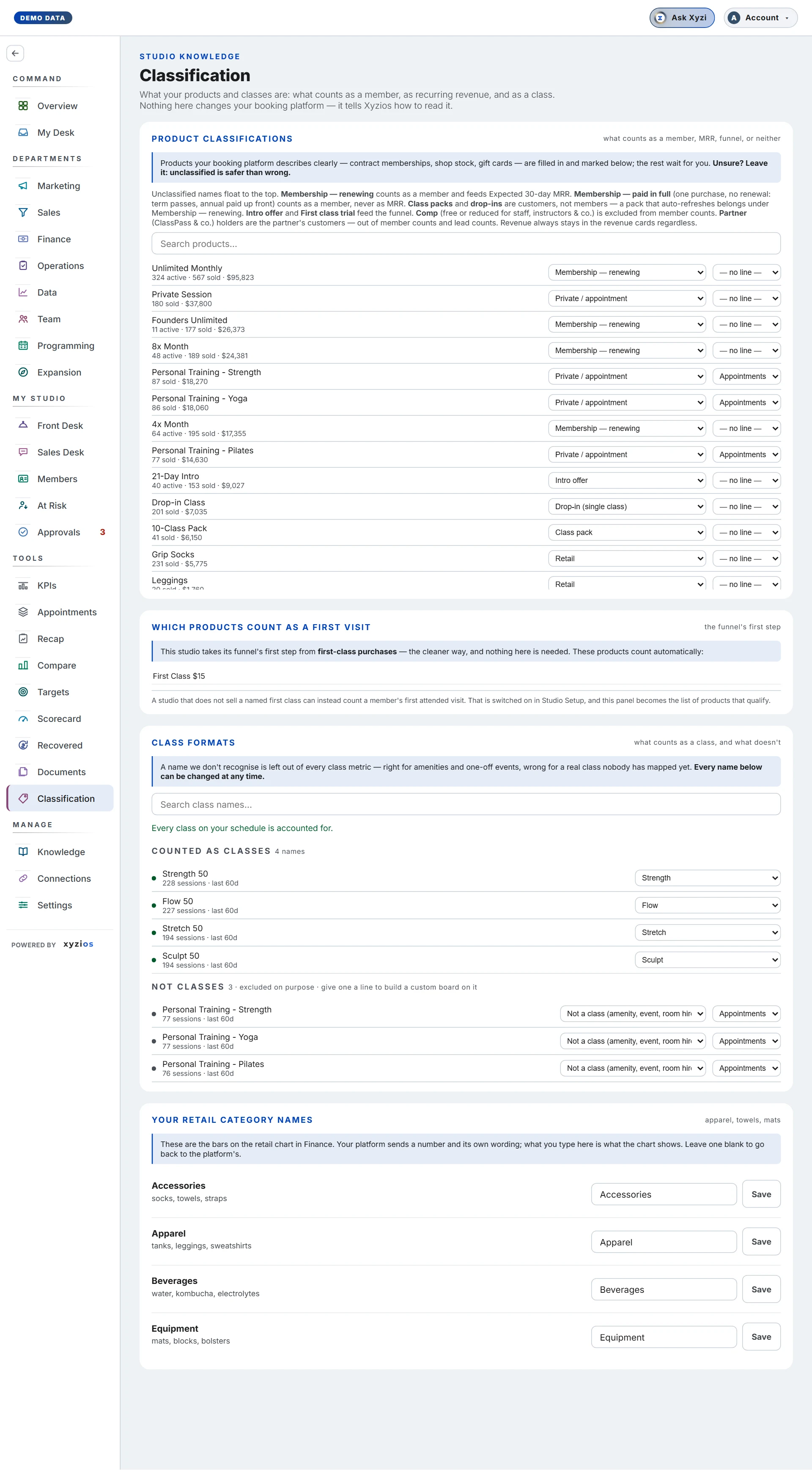
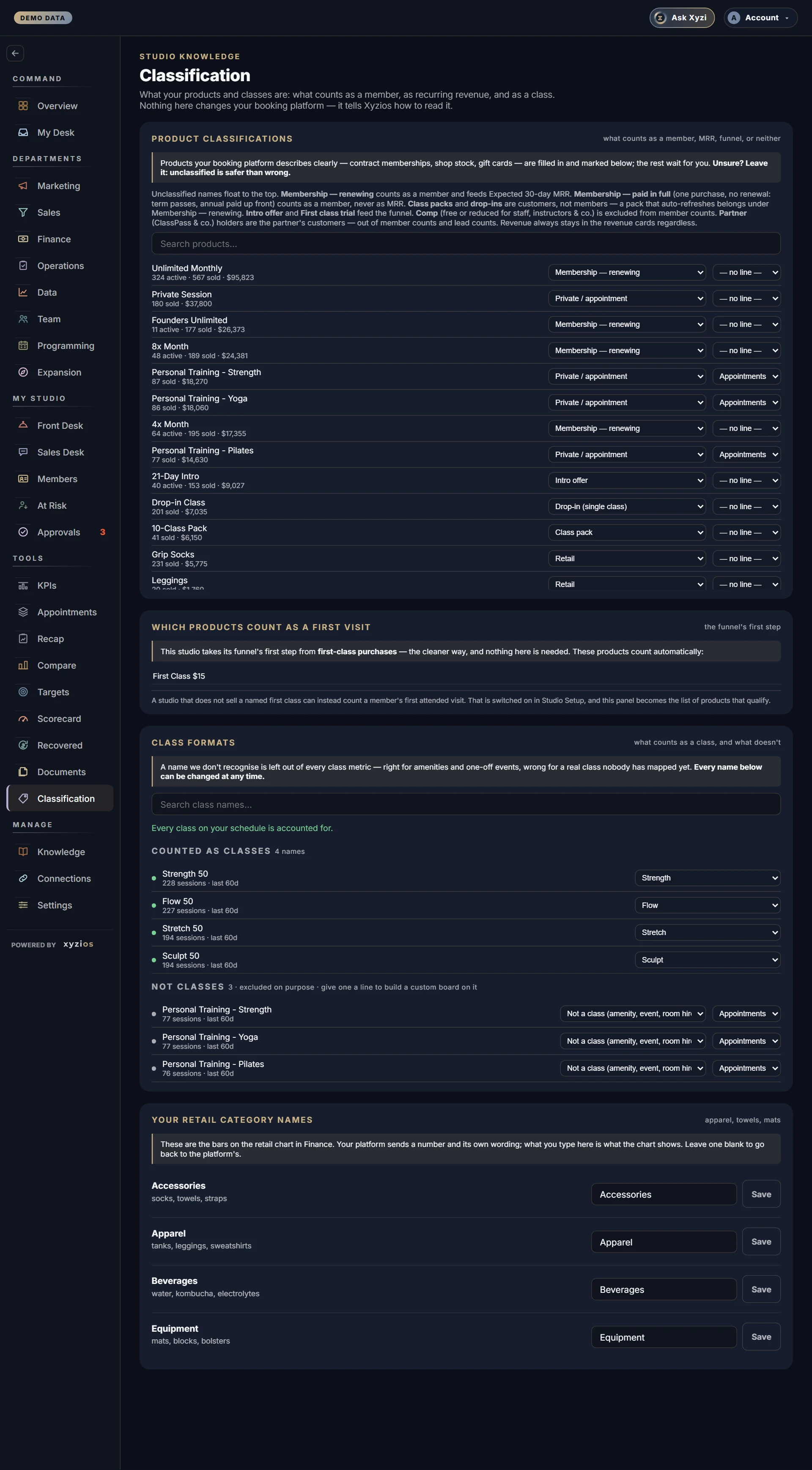
1Product classifications are the products and their categories. Above the products, Needs you (products with no category yet), Older products and All products switch what the list shows, each with its count, and the All categories dropdown beside the search shows one category, with the categories under what each counts as (Members, Customers, Funnel, Not counted and Other). Pick one and the list shows those products with a search box and, for most categories, a line saying what it does. Each row shows how many are active, how many sold and the revenue in the last 120 days. Its dropdowns are the category and, on every list but Needs you, the line it belongs to (for a custom board). Automatic marks a product a rule filled, with the reason where there is one, and Yours marks one a person set. A product with no category may show a suggestion under Looks like, with its reason, and Accept takes it. On a classified product, ⋯ opens a box, Not a first-visit opportunity: tick it for a product whose first-timers rarely buy, such as a pass for out-of-town visitors or a community or team class pack, and a first visit made on it is left out of the KPI board’s first-visit conversion, as a partner’s first visit is. It is off for every product until you tick it. ⋯ also opens Win-back offer: tick it for a product you sell to people coming back, such as a comeback pass or pack. Its buyers are counted on the Sales board’s Win-back offers and listed on the Sales Desk’s Win-back offer in progress until they join, and its category is left as it is, so a comeback pack still counts as a class pack. A win-back offer can’t be an Intro offer or a First class trial, because those count people who are new to you: file a comeback pass as what it is, such as a Limited time pass or a Class pack, then tick it. The categories: Intro offer and First class trial feed the funnel; Membership — renewing counts as a member and feeds Expected 30-day MRR; Membership — paid in full counts as a member, never as MRR; Class pack, Drop-in (single class) and Limited time pass (a special or challenge sold for a short time, such as a month of unlimited) are customers, not members; Comp — not counted and Partner (ClassPass & co.) are out of member counts; Retail, Training / certification, Event / workshop, Admin fee (late cancel, no-show, freeze), Gift card, Retreats, Private / appointment and Other are one-time revenue. Products the booking platform describes clearly arrive already filled in.
All products leaves out products a rule filed that have no recent activity, and says how many. A search there, or a press on a category, covers them too, so any product can be found: a long result shows 200 at a time, with Show 200 more. A search on Needs you or Older products looks only in that list.
Older products holds the unclassified products that none of your members hold now and nobody has bought in the last 120 days, but that every past month still counts as members. Each row shows how many memberships it accounts for and the months they started, most memberships first.
2Which products count as a first visit matters only for a studio whose funnel starts from a member’s first attended visit. It lists products grouped as Paid entry products, Free & nominal and Already counted elsewhere, each with its price and the first visits it has produced, and a live first visits a month total for the current selection. A studio whose funnel starts from first-class purchases sees First visits instead: the products that count, each with its category. A product counts while its category is First class trial, so another category, picked here or on Products, takes it off, and Add a product gives one the category. Count a first class attended instead says how to switch to first visits: Xyzios support does it, through Report issue.
Channel tags says which products your ads sell. Products your ads sell lists every product an ad is credited with, each with its ad and why: Added here, or Name ends in – M for one its name’s ending put there. Add a product picks any classified product, and Pick an ad beside it saves it; on a product added here, Not a channel takes it off. A different ad picked on an ending’s product is saved as that product’s own, which wins over the ending. A large warning at the top of the card says what not to add: a product people can also buy outside the ad. Under Name endings, a studio that ends its ad offers’ names in a code, as in “$10 First Class- G”, picks that ending from Add an ending once, and every product carrying it follows; Not a channel on its row takes it off. The Marketing board splits new customers and return on ad spend by both.
3Class formats lists every class name on the schedule over the last 60 days: Needs a decision (left out of every class metric until you decide), Counted as classes and Not classes. Each row shows its session count.
4Your retail category names lets you name the shelves the Finance retail chart draws, replacing the platform’s own wording.
What to do here
Owners, admins and anyone granted Edit products & classes can save here; Directors hold that by default. Everyone else sees the board but saves are refused.
- Start with Needs you and work down the list. Pick a category on a row; a message says counts update on the next board refresh. To move several at once, tick them or press Select all shown, pick a category and press Move. Up to 100 go at a time, only products with no category move, and Undo puts them back for 30 minutes, while the board stays open. Unsure? Leave it: unclassified is safer than wrong. Apart from that Undo, a category cannot be cleared once set, only changed. A row that asks Is this “…”? is a product a rule filed that looks like one of yours renamed, and it says what the old name had that this one does not: pick the right category, or press Keep as is.
- Give a product a line only if it belongs to a custom board, and give it a category first: the line’s dropdown is on every list but Needs you, where only a row asking about a lost line shows it.
- In Class formats, pick a format for each name under Needs a decision, or + new format… to name one, or Not a class (amenity, event, room hire). A name marked not a class gains a second dropdown for its line.
- Switch first-visit products on or off; the total updates as you go.
- Type a shelf name and press Save, which shows once the name has changed, or press Enter. Leave one blank to go back to the platform’s own name.
- In Channel tags, find each product an ad sells and add it with its channel. It saves as you add, and the Marketing board uses it on its next refresh.
Common questions
When do the numbers change?
On the next board refresh, not instantly. The message after each save says so. A product under Older products is the exception: its past months change once Xyzios rebuilds your member history, and its message says that instead.
Why is an old product under Older products?
A product nobody classified counts as a membership, and every month it ran counted its buyers as members. If it was really a one-month pass, a challenge or an intro offer, those months read high. Classify it and Xyzios rebuilds your member history. If it was a membership, nothing is wrong: classifying it as one only makes that official.
Renewing or paid in full?
Renewing bills on a schedule and counts toward MRR. Paid in full is one purchase with no renewal, such as a term pass or a year paid up front: a member, but never MRR. A class pack that auto-refreshes belongs under renewing.
One of my drop-ins is really the offer new people buy.
Classify that one product as First class trial and leave the ordinary drop-ins as Drop-in. A studio can hold both.
Why does the first-visit panel say nothing here is needed?
Your funnel counts first-class purchases, the cleaner way, so the products marked First class trial already count. Counting attended visits instead is switched by Xyzios support.
A class is missing from Programming.
Its name is probably under Needs a decision. Every unmapped name is left out of fill, coverage and no-show figures until you decide.
Why do I have a task to classify a product?
Xyzi puts the three unclassified products with the most revenue on Tasks for the people who can save here, with a line counting the rest. Pick the product’s category here and its task goes away by itself.
Which products should I add?
The ones an ad sells: the offer its landing page links to, such as a first class or an intro sold only through that ad. A product sold everywhere, like your regular intro offer, would count every buyer as an ad’s, so leave it off. The product has to be classified first. The Marketing board needs a quarter of a period’s new customers tied to a channel before it splits return on ad spend by channel.
What is the difference between a category and a line?
A category says what kind of thing a product is; a line says which custom board it belongs to. A recovery membership is a membership and on the recovery line.